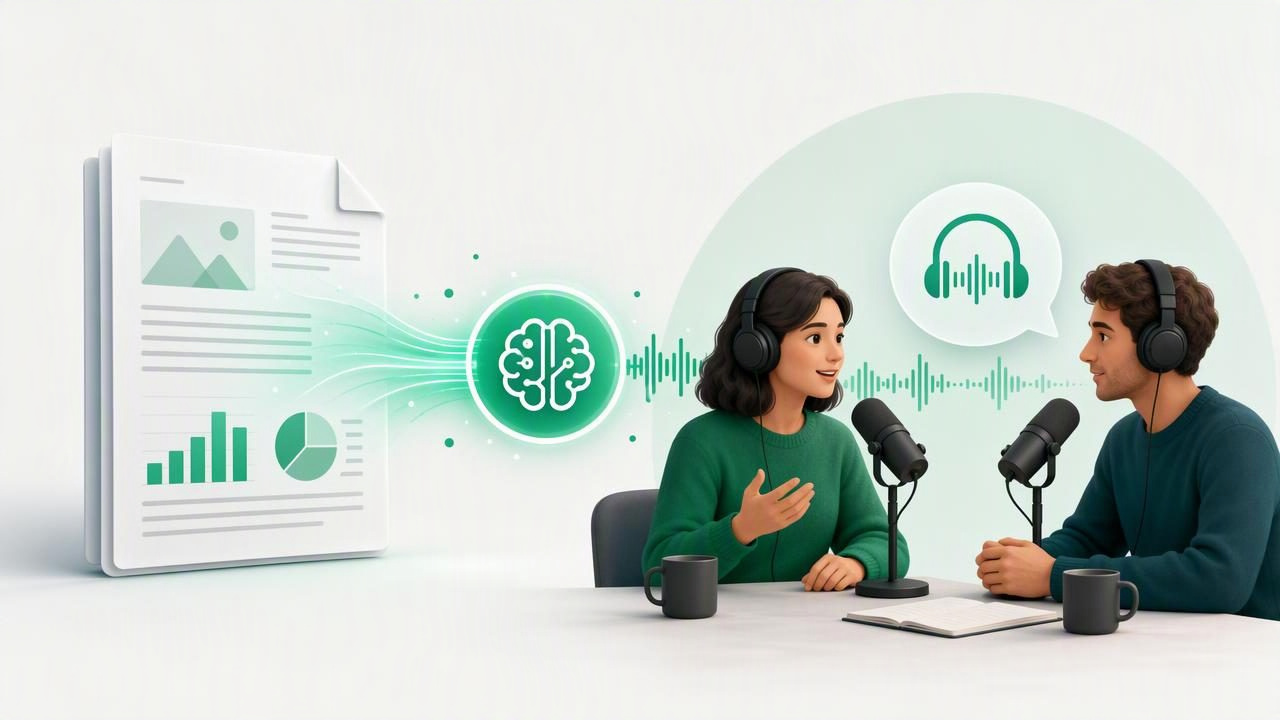
A lengthy PDF can hold valuable ideas, but reading every page on a screen is not always practical. Research papers, business reports, course materials, white papers, manuals, and meeting documents often demand more attention than a busy schedule allows. An AI podcast generator from PDF offers another way to absorb that information: it transforms the source material into a conversational audio episode that you can hear while walking, commuting, exercising, or taking a break from screens.
Unlike traditional text-to-speech, which usually reads a document word for word, AI podcast-style audio can present key ideas as a discussion between two hosts. One voice may introduce the subject, while the other asks questions, clarifies terminology, and connects the main points. The result can make complicated material feel more approachable without replacing the need to review the original document when accuracy and detail matter.
This guide explains how PDF-to-podcast tools work, when they are useful, how to prepare documents for better results, and what to look for before choosing an app.
What Is an AI Podcast Generator From PDF?
An AI podcast generator from PDF is a tool that analyzes the text in a PDF and produces an audio episode based on its contents. Depending on the service, the output may be a narrated summary, a structured explainer, or a two-host conversation that sounds like a short educational podcast.
The process generally combines several technologies:
- PDF text extraction identifies readable text in a digital document.
- Optical character recognition (OCR) converts a scanned PDF or photographed page into machine-readable text.
- AI summarization and organization identifies themes, arguments, definitions, and supporting details.
- Natural AI voices turn the generated script into speech.
- Audio formatting creates a dialogue, explanation, or episode-style structure.
A useful distinction is that a podcast generator is not necessarily a replacement for a PDF read-aloud feature. Read-aloud tools are better when you need every sentence, citation, table heading, or legal clause. Podcast generation is often more valuable when you need a clear, engaging overview of the document’s central ideas.
Why Convert a PDF Into a Podcast-Style Episode?
Listening changes the context in which you can engage with documents. A report that would otherwise remain unopened in a downloads folder can become part of a morning routine or commute. For students, professionals, and lifelong learners, that flexibility can make it easier to revisit important material.
Make dense information easier to approach
Academic and technical PDFs may contain specialist vocabulary, long paragraphs, and complex arguments. A conversational format can unpack those ideas in shorter segments. Hearing one host ask, “Why does this matter?” can provide useful framing that a raw document does not always make obvious on first reading.
Use screen-free time productively
Audio is especially helpful when looking at a screen is inconvenient or unsafe. You can listen while doing chores, taking a walk, traveling on public transport, or preparing for a meeting. Offline listening is particularly useful on flights, underground commutes, and in areas with unreliable connectivity.
Support different learning preferences
Many people understand and retain information better when they encounter it in more than one format. Listening to an AI-generated discussion before reading a source document can create a mental outline of the topic. Then, when you return to the PDF, headings and details may feel more familiar.
For some people with dyslexia, ADHD, visual fatigue, or reading difficulties, spoken content can also reduce friction. Accessibility needs vary widely, so the best approach is to pair audio with the original text, synchronized highlighting, notes, and other tools that support your preferred learning process.
PDF Read Aloud vs. AI Podcast Generation
Both approaches turn written material into audio, but they serve different purposes. Choosing the right one starts with knowing whether you need precision, speed, explanation, or a combination of all three.
| Feature | PDF Read Aloud | AI Podcast Generator |
|---|---|---|
| Primary purpose | Hear the document as written | Understand key ideas conversationally |
| Level of detail | High, often sentence by sentence | Usually condensed or reorganized |
| Best for | Legal text, textbooks, proofreading, close study | Briefings, introductions, revision, report overviews |
| Listening style | Single narrator | One or more hosts in a discussion |
| Need to verify against source | Lower, though OCR errors remain possible | Higher, because generated summaries can omit nuance |
In practice, the strongest workflow uses both. Generate a podcast-style overview first, then listen to the original PDF at your preferred speed for the sections that need close attention.
How to Create Better AI Podcasts From PDFs
The quality of the audio output depends heavily on the quality and structure of the source file. Taking a few minutes to prepare a PDF can lead to a clearer and more useful episode.
- Start with a readable file. Use a text-based PDF when possible. If the document is a scan, confirm that OCR has captured headings, names, and numbers correctly.
- Choose one focused document. A 20-page report with a clear subject often produces a better episode than a folder of unrelated files.
- Remove irrelevant pages. Cover sheets, duplicate appendices, blank pages, and long reference lists can distract from the core topic.
- Give the tool a goal. If prompts or settings are available, specify whether you want an executive briefing, study review, beginner explanation, or discussion of key findings.
- Listen critically. Treat generated audio as a study aid, not an unquestioned authority. Check facts, numbers, quotations, and conclusions against the source PDF.
- Return to the document. Use bookmarks, page references, or synchronized text highlighting to review details that affect a decision, assignment, or professional outcome.
Examples of Useful PDF-to-Podcast Workflows
Students reviewing a research paper
Before a seminar, a student can turn a journal article into a short audio discussion. The first listen provides context: the research question, method, findings, and limitations. Later, the student can read the full paper and highlight evidence needed for an essay or class discussion.
Professionals preparing for a meeting
A manager receives a market analysis shortly before a client meeting. Instead of scanning 40 pages under time pressure, they can listen to an episode covering major trends, recommendations, and risks. They should still open the PDF afterward to confirm the data behind any decision-making points.
Readers tackling a difficult nonfiction book
If a chapter has been exported as a PDF, an episode-style explanation can make unfamiliar concepts less intimidating. It is not a substitute for reading the author’s work, but it can act as a useful preview or recap between reading sessions.
People converting paper documents
For printed handouts, letters, or archived notes, scan the pages first. Good lighting, flat pages, and a high-contrast image improve OCR. Once the scan becomes searchable text, it can be read aloud or used as the basis for a podcast-style summary.
What to Look For in an AI Podcast App
Not every text-to-speech app handles documents and AI-generated episodes in the same way. Consider your complete listening workflow rather than choosing based on one feature alone.
- PDF compatibility: The app should handle text PDFs and, ideally, scanned documents with dependable OCR.
- Natural voices: Clear pacing and realistic pronunciation make longer sessions more comfortable.
- Two-host episode options: A dialogue format can make summaries feel more dynamic and easier to follow.
- Source access: Look for a way to return to the original document, especially when studying or checking claims.
- Playback controls: Speed adjustment is important. Some listeners prefer 1.25x for complex topics and up to 3x for familiar material.
- Offline access: Downloaded audio and documents help keep a listening habit reliable.
- Privacy practices: Review how uploaded files are processed, stored, and deleted, particularly for confidential documents.
- Format support: If you regularly use EPUB, DOCX, web articles, or pasted notes as well as PDFs, a flexible library can reduce app switching.
Important Limits to Keep in Mind
AI-generated podcast audio is valuable for orientation and revision, but it has limits. A generated discussion may simplify technical qualifications, skip footnotes, misread a poorly scanned number, or emphasize a point differently from the author. This matters most in medical, legal, financial, scientific, and academic contexts.
Use AI audio to understand the map, then consult the source for the exact terrain.
It is also important to respect copyright, workplace policy, and privacy obligations. Only upload documents you have permission to process. Avoid placing confidential client files, unpublished work, private records, or protected course materials into a service unless its data policies and your organization’s rules allow it.
Build a More Effective Listening Routine
To get more from an AI podcast generator from PDF, make listening active rather than passive. Start with a short episode to understand the topic. Pause when you hear an unfamiliar term. Save questions in a note, then open the PDF to find the supporting evidence. Finally, listen again at a faster speed for review.
This simple cycle—preview, verify, review—works well for professional development, exam preparation, and long-form reading. It also helps prevent a common mistake: confusing a polished audio summary with complete understanding.
If you want to combine PDF listening, web articles, camera scans, and podcast-style discussions in one iPhone or iPad workflow, Focal Voice is one option to explore. The most useful tool is ultimately the one that makes it easier to return to important ideas, wherever your day takes you.
