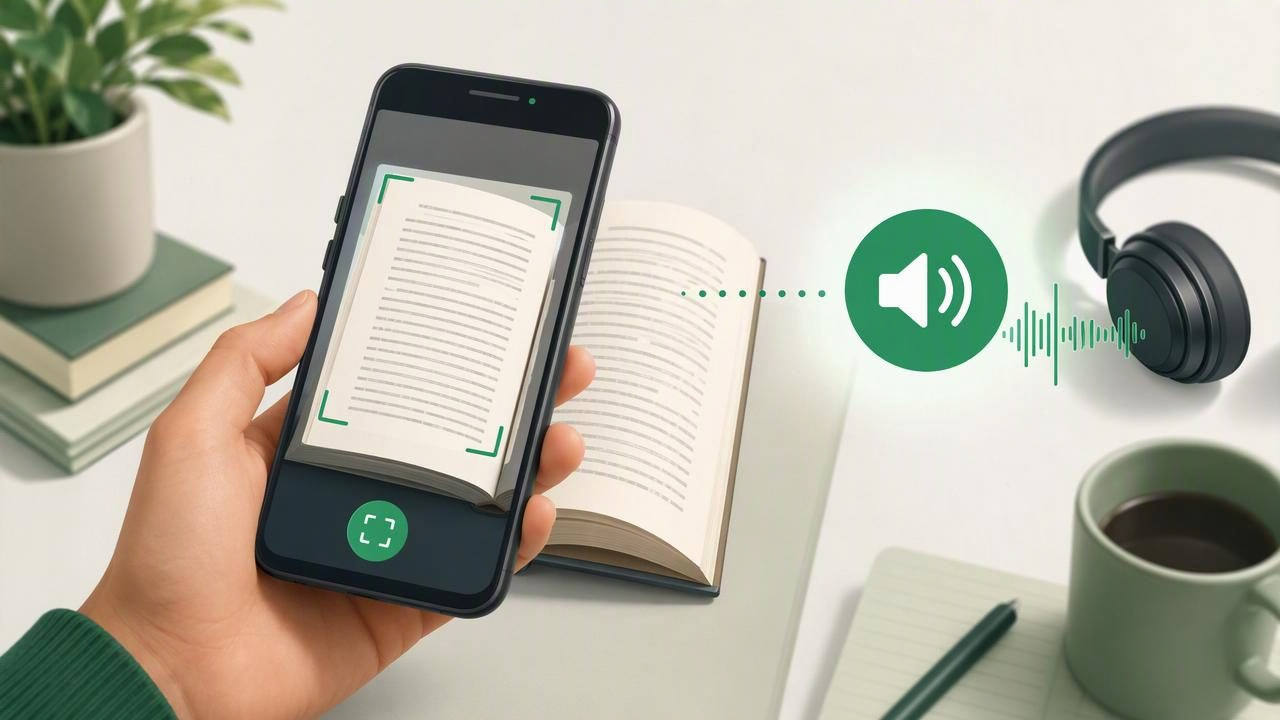
Printed information is everywhere: textbook pages, handouts, letters, receipts, research articles, menus, contracts, and archived books. But reading a page with your eyes is not always convenient—or accessible. A capable text to speech app that scans printed text and reads it aloud can turn physical pages into audio in seconds, making it easier to learn, review, work, and stay organized.
The best tools combine camera scanning, optical character recognition (OCR), and natural-sounding text-to-speech voices. Rather than simply taking a photo, they recognize the words on the page, convert them into editable digital text, and narrate that text aloud. On an iPhone or iPad, this can create a flexible listening workflow wherever you are.
This guide explains what to look for, how scan-to-speech works, and how to choose an app that fits your reading, accessibility, and productivity needs.
What Is Scan-to-Speech Technology?
Scan-to-speech is a process that transforms printed material into spoken audio. It generally happens in three stages:
- Capture: You use your phone or tablet camera to photograph a printed page.
- Recognize: OCR detects letters, words, paragraphs, and sometimes headings or columns in the image.
- Narrate: A text-to-speech engine reads the recognized text using a selected voice and playback speed.
Modern OCR is far more useful than basic image capture. When the scan is clear, it can turn a page of print into selectable text you can review, correct, save, or hear again later. This makes camera scan to speech especially practical for people who want to listen to documents without manually typing their contents.
Who Benefits From an App That Reads Scanned Text Aloud?
A scan-and-listen tool is valuable for many types of readers. It is not only for converting a full book into audio; it can also help with short, everyday documents.
- Students can scan assignment sheets, library excerpts, or textbook pages and study by listening while following highlighted text.
- Professionals can review printed meeting notes, reports, invoices, and reference materials away from a desk.
- People with dyslexia or ADHD may find audio support helpful for maintaining attention and processing written information.
- Language learners can hear unfamiliar vocabulary pronounced while looking at the original text.
- Commuters and busy parents can convert useful reading into listening for walks, chores, or travel.
- Low-vision readers can use spoken narration to access material that may be difficult to read visually.
Audio should not replace careful review when accuracy is essential, such as with legal, medical, or financial documents. Still, it can make the first pass through dense material substantially easier.
Essential Features in the Best Text to Speech App to Scan Printed Text and Hear It
Apps vary widely in how well they capture pages and how pleasant they are to use afterward. Use the following criteria when comparing options.
1. Accurate OCR for Real-World Pages
OCR quality is the foundation of the experience. Look for an app that can handle typical printed fonts, paragraphs, punctuation, and page layouts. The best results come from high-contrast, well-lit images, but a strong app should also help you crop a page, straighten its perspective, and identify text cleanly.
OCR may struggle with handwriting, glossy paper, tiny type, decorative fonts, shadows, and multi-column layouts. An app that lets you inspect and edit recognized text is useful because correcting a name, number, or unusual term before playback improves the narration.
2. Natural AI Voices
Once text is scanned, voice quality matters. Robotic speech can make a short note tolerable but a long chapter exhausting. Seek natural AI voices with clear pronunciation, reasonable pacing, and pauses that make sentences easy to follow.
Voice choice is personal. Try different voices with the same passage and listen for clarity, comfort, and how well the app handles headings, abbreviations, dates, and technical terms. If you read in more than one language, check that the app offers voices for the languages you use.
3. Adjustable Playback Speed and Text Highlighting
Speed controls let you match narration to the task. You might listen slowly when reviewing a complicated passage, then increase speed for familiar material or a second pass. Many experienced listeners gradually work up to 1.5x, 2x, or faster, but comprehension should remain the priority.
Synchronized highlighting is equally important. Seeing words highlighted as they are read can support focus, reinforce word recognition, and help you catch OCR errors. It is particularly valuable for students, language learners, and readers who benefit from multimodal input.
4. Offline Listening
Not every useful document is read near reliable Wi-Fi. If you plan to listen on a train, airplane, campus, or commute, choose an app that supports offline listening. This lets you save processed text and audio access in advance rather than relying on a connection when you need it.
5. Flexible Imports Beyond Camera Scans
Your scan-to-speech app becomes more useful when it handles digital reading too. Consider support for PDFs, DOCX files, web links, pasted text, notes, EPUB books, and MOBI files. Keeping printed and digital material in one listening library can reduce the friction of switching between tools.
Feature Comparison Checklist
| Feature | Why It Matters | What to Test |
|---|---|---|
| Camera OCR | Turns a photographed page into usable text | Scan a page with small type and headings |
| Editing tools | Fixes names, numbers, and OCR mistakes | Correct a word before starting playback |
| Natural voices | Makes longer listening more comfortable | Listen to a full paragraph with punctuation |
| Speed controls | Supports quick review and careful study | Adjust from slow playback to faster speeds |
| Follow-along highlighting | Connects visual and audio reading | Check whether highlighting stays in sync |
| Offline access | Enables listening without internet | Open saved content in airplane mode |
| File and web support | Extends the app beyond printed pages | Import a PDF and save a web article |
How to Get Better Results When Scanning Printed Text
Even the best app performs better with a clean capture. Follow these simple steps before pressing scan:
- Use bright, even lighting. Avoid shadows from your hand or phone. Natural daylight or a well-lit desk works well.
- Place the page on a flat surface. Curved pages near a book binding can distort letters and lines.
- Keep the camera parallel to the page. This reduces perspective skew and helps OCR recognize the layout.
- Fill the frame without cutting off text. Make the print large enough to capture clearly, including page numbers or footnotes if they matter.
- Review the recognized text. Check proper nouns, figures, citations, and hyphenated words before relying on the audio.
- Choose the right pace. Start at a comfortable speed, then increase it only if you can still understand and retain the content.
For a long book or packet, scan one section at a time and use descriptive labels such as “Biology Chapter 4, pages 1–10.” Clear organization makes it much easier to return to a passage later.
Scan-to-Speech for Accessibility and Focus
Listening while reading can be a meaningful accessibility support. For readers with dyslexia, hearing words while seeing them highlighted may reduce some of the effort involved in decoding print. For people with ADHD, narration can create an external pace that makes it easier to stay with a page instead of repeatedly losing their place.
Audio is most useful when it supports your own comprehension strategy, rather than forcing you to read at someone else’s pace.
Try pairing audio with small active-reading habits: pause after a section, write down one key point, bookmark confusing passages, or replay a difficult paragraph. These techniques turn passive listening into a more deliberate learning process.
Should You Use a General OCR App or a Dedicated Text-to-Speech Reader?
A general scanning app can be excellent for saving image-based documents, extracting text, or creating PDFs. However, its reading controls may be limited. A dedicated text-to-speech reader is usually the better choice if your main goal is to listen regularly, manage a personal library, adjust voices and speed, or follow text as it is spoken.
Likewise, broad text-to-speech services such as Speechify, NaturalReader, and ElevenReader may offer different strengths around voices, platforms, file support, and subscription options. The best choice is not necessarily the app with the most features. It is the one that reliably handles the formats you use, produces narration you enjoy, and fits naturally into your routine.
A Practical Test Before You Commit
Before subscribing to any app, run a five-minute trial with your own material. Scan one clean textbook page, one page with a more complex layout, and a short document containing names or numbers. Then ask:
- Did the OCR capture the text accurately?
- Could I correct mistakes quickly?
- Did the voice sound comfortable after several minutes?
- Was it easy to pause, rewind, change speed, and find my place?
- Could I save the item for offline listening?
This real-world test is more informative than a feature list. It shows whether the app can become a dependable part of your study, work, or accessibility routine.
Turn More Pages Into Productive Listening
The best text to speech app to scan printed text and hear it should do more than read a photo aloud. It should accurately recognize words, provide pleasant voices, offer controls that support comprehension, and make your material available when and where you need it.
If you use an iPhone or iPad and want one place for camera scans, PDFs, books, documents, and web articles, Focal Voice is one option to explore. Start with the materials already on your desk, test the workflow, and build a listening habit that makes reading more flexible.
