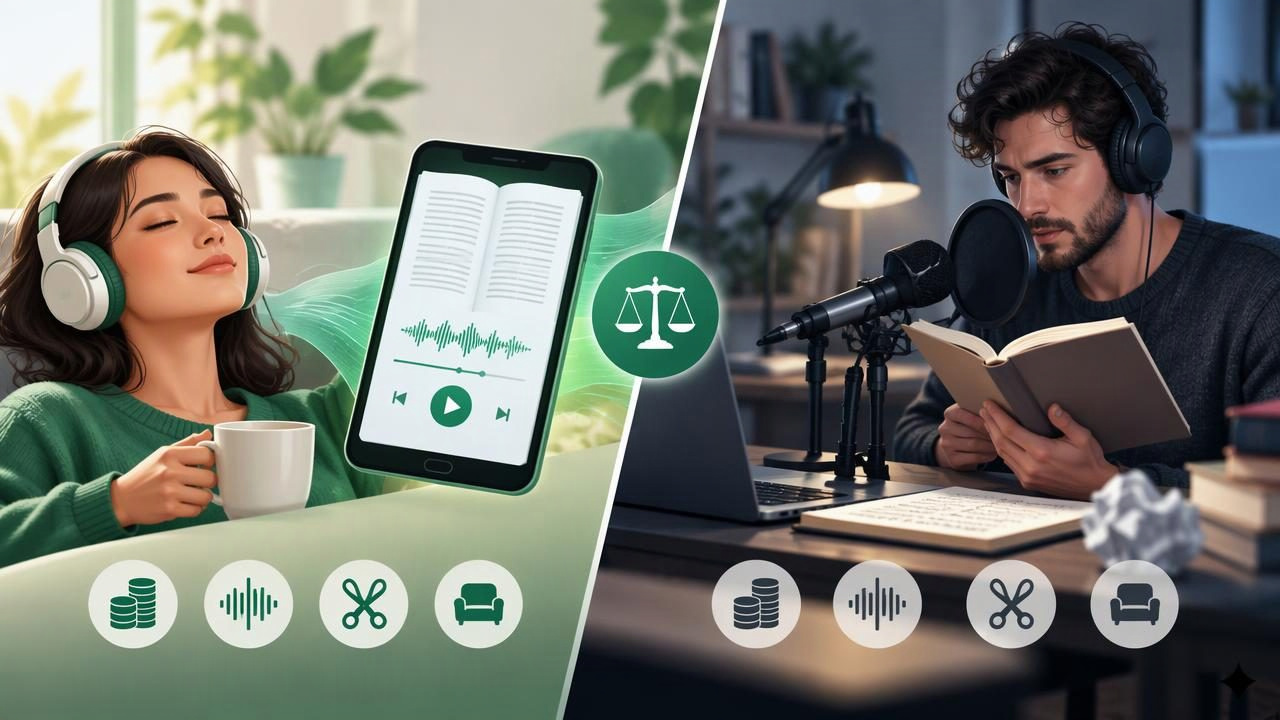
Turning an EPUB into something you can listen to does not have to mean setting up a microphone and recording every chapter. An EPUB audiobook app can read a digital book aloud with text-to-speech, while manual audiobook recording uses a person’s voice to create an audio file. Both methods can make a book easier to enjoy, but they serve different needs.
The better option depends on what matters most: speed, natural expression, editing control, cost, or the ability to listen on the go. This guide compares the two approaches and explains how to choose a practical workflow for personal reading, study, or publishing.
What Is an EPUB Audiobook App?
An EPUB audiobook app imports an ebook and converts its text into spoken audio using a synthetic voice. Many apps let you choose a voice, adjust the reading speed, and follow along with highlighted text. Depending on the app, you may also be able to import PDFs, documents, web articles, or pasted text.
Unlike a traditional audiobook, this is usually generated from the ebook rather than recorded and edited in a studio. That means you can often start listening soon after importing the file. Some apps require an internet connection for certain voices or features, while others support offline playback after content or audio has been prepared. Check the app’s current capabilities before relying on offline access.
What Does Manual Audiobook Recording Involve?
Manual recording means reading the book aloud into a microphone and saving the performance as audio. For a polished production, the process can include script preparation, room treatment, microphone setup, retakes, editing, mastering, and quality checks. A narrator may be the author, a hired voice actor, or someone else with permission to record the text.
This approach offers creative control. A human narrator can shape character voices, pause for dramatic effect, and adapt tone to the meaning of a passage. But a long book can require many hours of recording and post-production. Even a confident reader may need to redo sections because of background noise, mispronunciations, or inconsistent volume.
EPUB Audiobook App vs Manual Recording: Key Differences
| Factor | EPUB audiobook app | Manual recording |
|---|---|---|
| Time to begin | Often quick: import the EPUB and choose playback settings | Requires recording and usually editing before listening |
| Voice style | Generated speech with selectable voices and speeds | Human delivery with performance and expressive choices |
| Control | Playback settings and voice options vary by app | Detailed control over performance, edits, and sound |
| Cost and effort | May be available through a free trial or subscription | Requires recording equipment, time, and potentially a narrator |
| Best suited to | Personal listening, study, and quick access to ebooks | Finished productions for sharing, distribution, or publication |
The table highlights a basic distinction: an app is often a convenient listening tool, whereas manual recording is a production process. Neither is automatically better in every situation.
When an EPUB Audiobook App Makes More Sense
Choose an app when your main goal is to listen to a book you already own, rather than create a professionally performed audiobook. Text-to-speech can be especially useful when you want to fit reading into a commute, household tasks, or a walk. It can also make it easier to revisit course material without staring at a screen.
- You want to start quickly. Importing an EPUB is generally simpler than recording and editing a full book.
- You need flexible pacing. A speed control can help you slow down for dense passages or listen faster to familiar material.
- You learn by following along. Synchronized highlighting, when available, connects spoken words with the text on screen.
- You listen to several formats. Some text-to-speech apps also support PDFs, DOCX files, web links, and scanned pages, keeping different reading materials together.
- You need a portable routine. A phone or tablet can be easier to carry than recording equipment, and offline listening may help when a connection is unavailable.
Generated speech has improved, but it may still misread unusual names, abbreviations, tables, or complex formatting. A natural-sounding voice can make general prose comfortable to hear, yet it does not necessarily interpret emotion or character dialogue the way a skilled narrator would.
When Manual Recording Is Worth the Work
Manual narration is a stronger fit when voice performance is part of the experience or when you need a finished audio product. Memoirs, fiction, poetry, and instructional books can benefit from a narrator who understands context and can vary emphasis. An author may also want to deliver a personal message in their own voice.
Recording is also the more appropriate route when you need specific production standards, chapter-level audio files, or quality control before distribution. You can correct pronunciation, remove mistakes, add approved music, and shape pauses. However, these choices take time and skill. The larger the book, the more important it is to budget for editing, retakes, and consistent sound across sessions.
Before recording or sharing an audiobook, confirm that you have the necessary rights. Owning an ebook does not automatically grant permission to create and distribute an audio adaptation. Copyright terms, licenses, and platform rules may apply, particularly for commercial use.
How to Choose the Right Option
Start by defining your intended use. If the audio is just for your own reading, convenience usually matters more than studio-level polish. If you plan to publish, sell, or distribute the audio, performance quality, format requirements, permissions, and production costs become central.
- Identify the source file. Check that your ebook is a supported EPUB and that its text is selectable. A file with unusual formatting or scanned pages may need a different reading or OCR workflow.
- Try a representative chapter. Listen to dialogue, headings, footnotes, and any specialized vocabulary. This reveals how an app handles the parts that matter to you.
- Test the voice and speed. A voice that sounds pleasant at normal speed may become hard to follow when accelerated. Choose a comfortable pace rather than assuming the fastest setting is best.
- Check navigation and access. Look for chapter controls, bookmarks, playback position memory, and offline support if those features are important to your routine.
- Estimate the full production effort. For manual recording, account for preparation, retakes, editing, file exports, and review—not just the time spent reading aloud.
- Consider privacy and rights. Review how an app handles imported files, and confirm that your intended use of any recording is permitted.
A Practical Listening Workflow for an EPUB
For personal use, a simple text-to-speech routine can avoid much of the setup involved in manual recording:
- Import the EPUB into an app that supports the file and inspect the opening pages for formatting problems.
- Choose a voice and listen to a short sample before starting the whole book.
- Adjust the speed until the narration stays clear, especially around dialogue and technical terms.
- Use highlighting or bookmarks to keep your place and return to sections worth reviewing.
- Download or prepare content for offline playback if the app supports it and you expect to be without reliable internet.
If a name or phrase is consistently pronounced incorrectly, check whether the app offers pronunciation controls. If not, you may be able to follow the audio with the text and pause at the relevant section. For study, write down key ideas after listening rather than treating faster playback as a substitute for understanding.
Accessibility and Study Considerations
Listening can offer an alternative route into written material for people with dyslexia, ADHD, visual fatigue, or other access needs. It may also help readers who are learning a language hear pronunciation while seeing the corresponding words. These benefits are personal: some people focus better with audio, while others prefer text or a combination of both.
Features such as synchronized highlighting, adjustable speed, and easy pausing can make a text-to-speech app more adaptable. For longer sessions, take breaks and use a pace that supports comprehension. If a book contains diagrams, equations, or dense tables, you may need to consult the EPUB visually because narration cannot always convey layout or visual relationships clearly.
Frequently Asked Questions
Can an EPUB audiobook app create a downloadable audiobook file?
It depends on the app. Some apps focus on in-app playback and do not export generated narration as a standalone audio file. Check export options and terms before choosing a tool, especially if you need to distribute the recording.
Is text-to-speech as natural as a human narrator?
Modern synthetic voices can sound smooth and clear, but they may lack the interpretation and emotional nuance of human performance. For casual listening, an app may be sufficient; for a polished, expressive production, manual narration may be preferable.
Can I listen to an EPUB without internet access?
Some apps support offline listening, but the details vary. Confirm whether the voice, book, or generated audio must be downloaded or prepared in advance.
The Bottom Line
An EPUB audiobook app vs manual audiobook recording is not simply a choice between two voices. It is a choice between fast, flexible personal listening and a more controlled audio-production process. Use text-to-speech when you want to hear an ebook with minimal setup; choose manual recording when performance, editing, or distribution demands greater control. For readers who want EPUB playback alongside PDFs, web articles, and other documents, Focal Voice is one app to consider.
